
Pilot · Airport navigation
Find the airport. Make the approach.
Use your sense of geography to navigate across a 3D globe and land near a hidden airport.
Play PilotFree browser game · For players 13+
Geography from the cockpit
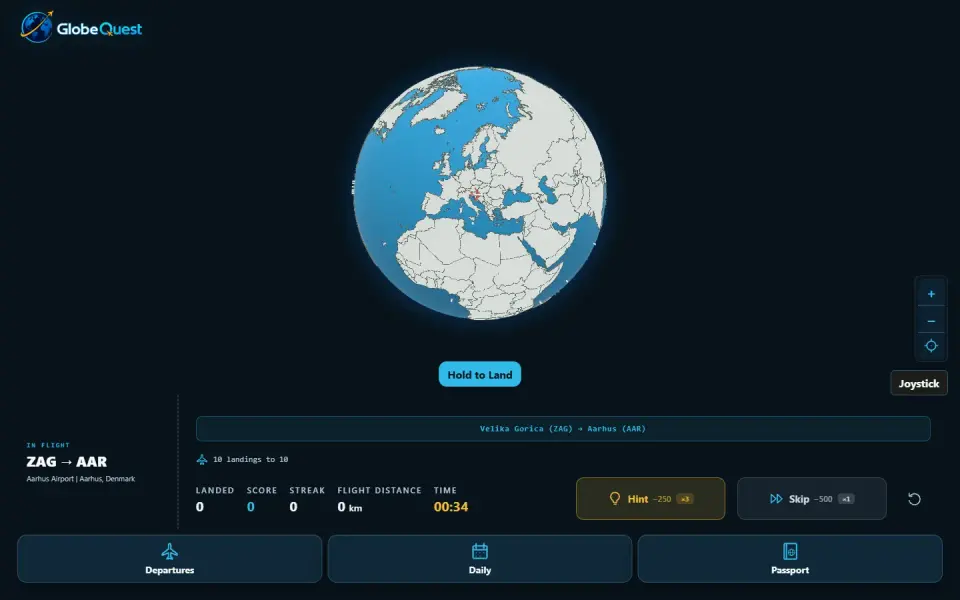
Pilot is GlobeQuest's airport navigation game. Instead of typing a country name, you fly across an interactive 3D globe towards a hidden airport. It combines recognising places with steering, judging distance and making a final approach.
How to start a flight
Choose Pilot in Departures. Select your session and airport class, then follow the briefing and in-game controls. Use coastlines, country locations and the distance information to guide your flight. When close to your destination, hold Land to enter the final approach and follow the touch-down prompt.
Make the next landing more accurate
The landing report shows where you touched down and how far you were from the airport. Use that distance to judge your approach and make smaller corrections on the next flight. Pilot is a geography game with flight controls, rather than a recreation of real-world flight training.
Build your flying career
Choose free flight or work on Pilot licence campaigns. Your Passport keeps career statistics, and the Hangar lets you view available aircraft and customisation. For another way to explore, switch to Classic, Quiz or the Daily Route.
Before you depart
A few things to know.
Do I need to install a flight simulator?
No. Pilot runs as part of GlobeQuest in a browser with WebGL support.
Can I choose the session length?
Yes. Pilot offers Endless and timed sessions of 5, 10 or 20 minutes.
Does Pilot use real airport locations?
Yes. Destinations use real airport locations. The flight and scoring rules are designed for GlobeQuest's geography gameplay.